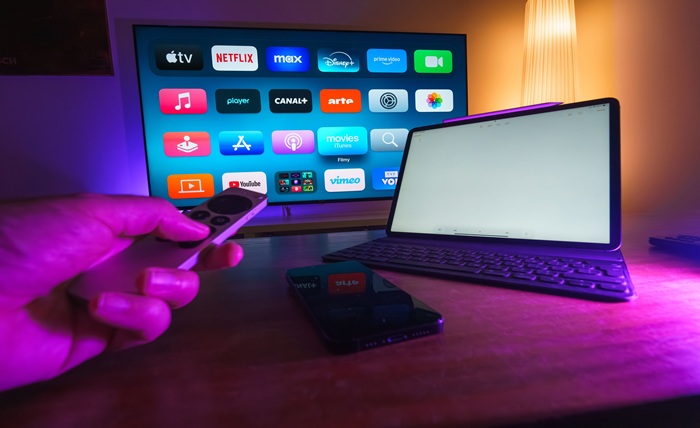
Television has become more than a screen for watching scheduled programmes. Viewers now switch between movies, TV shows, streaming platforms and live channels. Technologies such as Xtream Codes also support login and connection management in compatible IPTV applications. However, as the number of streaming options grows, finding the right content can take more time. A well-organized Smart TV experience can make this process much easier.
Why Are There So Many Streaming Apps?
Streaming has changed how people watch television. Viewers no longer need to follow fixed broadcasting schedules. They can start a movie or series whenever they want. Many services also offer live television through internet-connected devices.
However, the growing number of platforms creates a new challenge. Many households use several streaming applications on the same television. Each service has its own interface, content library and subscription model.
Common types of streaming applications include:
- Video-on-demand platforms for movies and TV shows
- Broadcaster apps offering catch-up television
- Live TV applications for news, sports and entertainment
- Free streaming platforms supported by advertisements
- Music and video services
This variety gives viewers more choice. At the same time, it can make content discovery harder. Users often switch between applications to find a particular programme. Some movies are available on one platform but missing from another.
A better way to organize these services can save time and make everyday viewing more convenient.
How Smart TV Interfaces Are Changing Home Entertainment
Modern Smart TVs offer much more than internet access. Their interfaces bring different applications and entertainment options together. Users can open apps, search for content and return to programmes they previously watched.
A 2026 study by AGF Videoforschung highlights this development in Germany.
According to its spring 2026 findings, 57.7% of TV households have a Smart TV user interface. Among these interfaces, 86.7% offer at least one of the navigation features covered by the study.
The most common features include:
- Installed app overview: Available on 53.4% of Smart TV interfaces.
- Content recommendations: Available on 29.9%.
- Continue watching: Available on 21.3%.
- Direct access to live television: Available on 13.1%.
These figures show why the Smart TV home screen matters. It acts as a central starting point for different entertainment services.
The study also found that Netflix, YouTube and Prime Video were among the most frequently visible applications on Smart TV home screens.
Finding Movies and TV Shows Without Wasting Time
Having access to thousands of titles is useful. However, viewers still need an easy way to find something worth watching.
Search tools and content recommendations help solve this problem. Many Smart TV platforms suggest popular films, new releases and recently watched programmes. Some systems also use viewing habits to provide personalized recommendations.
A useful entertainment interface should offer:
- Clear categories for movies and TV shows
- Search options based on titles and genres
- Filters for release years and content types
- A personal watchlist for interesting programmes
- A section for recently watched content
- Recommendations based on viewing preferences
These features make content discovery easier. They also help families with different entertainment preferences.
A simple search function can make a noticeable difference. Users should not need to open five different applications just to find one movie.
Organising Live TV and Streaming Applications
Many viewers still enjoy traditional television. News, sports and live events remain important parts of daily entertainment.
At the same time, on-demand services offer more flexibility. Users can watch films and series without waiting for a scheduled broadcast.
A well-organised Smart TV can bring these viewing options together. Users should be able to reach their favourite applications without going through several menus.
A practical setup can separate services into different groups:
- Live TV: For news, sports and scheduled programmes.
- Movies and series: For on-demand entertainment.
- Catch-up TV: For programmes viewers missed.
- Music and video: For additional entertainment.
Placing frequently used applications on the home screen can also reduce unnecessary steps.
Remote controls are another important part of the experience. Dedicated shortcut buttons and simple navigation make it easier to switch between services.
M3U Playlists and Xtream Codes: Understanding the Technology
Some IPTV applications support different formats for handling playlist information and account details.
Two common terms in this area are M3U and Xtream Codes. They serve different purposes, although compatible IPTV players may support both.
An M3U file contains playlist entries and links to media streams. A compatible player reads these entries and uses the available information to display content.
Xtream Codes provide another way to enter IPTV account details in supported applications. Users typically receive information such as:
- Server address
- Username
- Password
The application uses these details to connect to the relevant service.
Both methods can help users manage their streaming setup. The available features depend on the player, service and supported connection format.
Users who need to convert an M3U playlist into Xtream Codes details can use the M3U-Playlist in Xtream-Codes-Daten umwandeln tool to prepare the information for a compatible IPTV player.
For a broader explanation of internet-connected television technology, readers can also explore the Wikipedia guide to Smart TVs.
However, technical compatibility does not confirm content ownership or broadcasting rights. Viewers should always choose services that have the necessary permissions to distribute their content.
What Should Viewers Look for in a Streaming App?
Not every streaming application offers the same experience. Features, performance and compatibility can vary between devices.
Before installing an application, users should consider a few important factors.
- Device Compatibility
The application should work with the user’s television or streaming device. Some apps also support Fire TV, Android TV, smartphones and tablets.
- Easy Navigation
A clean interface makes daily use easier. Clear menus, organised categories and a useful search function can improve the experience.
- Streaming Quality
A stable internet connection helps prevent interruptions. Actual playback quality also depends on the source, application and device.
- Privacy and Security
Users should install applications from trusted sources. They should protect account details and review privacy policies before signing up.
- Transparent Pricing
Subscription costs, contract periods and cancellation conditions deserve attention. A free trial can help users test compatibility before making a payment.
Checking these details can prevent unnecessary subscriptions and improve the overall viewing experience.
How Will the Smart TV Experience Develop?
Smart TVs and streaming applications continue to evolve. Manufacturers are improving search tools, navigation systems and content recommendations.
The number of available services also continues to grow. Viewers want quick access to their favourite programmes without searching through several menus.
Several features are likely to remain important:
- Unified access to frequently used applications
- Better search across different content libraries
- More relevant viewing recommendations
- Easier management of favourite channels and programmes
- Reliable playback across compatible devices
The relationship between traditional broadcasting and internet-based entertainment will also remain important.
Smart TVs are becoming a central part of home entertainment. Yet installing more applications does not automatically create a better experience. Simple navigation, useful content and reliable playback matter much more.
Final Thoughts
The growing number of streaming applications gives viewers more entertainment choices. However, it can also make content discovery confusing.
A well-organised Smart TV interface helps solve this problem. Clear categories, useful search features and personalized recommendations make everyday viewing easier.
The goal is not to install as many applications as possible. It is to find the right services and access them without unnecessary effort.